PARHAM · FEATURES
One workbench. Every control.
Solutions describe the problems. Features are how the work gets done: assigned, reviewed, exceptioned, dashboarded — with evidence attached and AI that cites its sources. Same product, same features in SaaS, on-premises, or air-gapped.
FEATURE 01 / WORKBENCH
Single workbench, clear ownership.
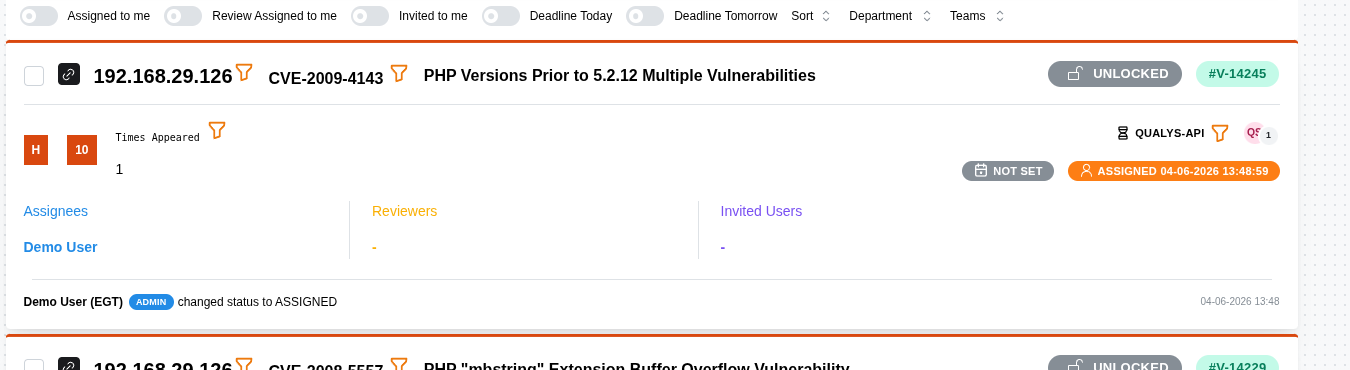
Findings, risks, incidents, audit issues, tickets, and vulnerabilities share one lifecycle — one schema, one access model, one audit trail. No lists in spreadsheets, no threads in email.
- Assignment that sticks — every item owned by a department and team, with status and next steps visible.
- Deadlines with schedules — due dates on every item, calendar views, overdue at a glance.
- Collaboration without chaos — invite teams into specific items with controlled visibility.
- Parent-child tracking — from finding to fix, from scan to remediation ticket to closure.
FEATURE 02 / REVIEW
Maker-checker, enforced.
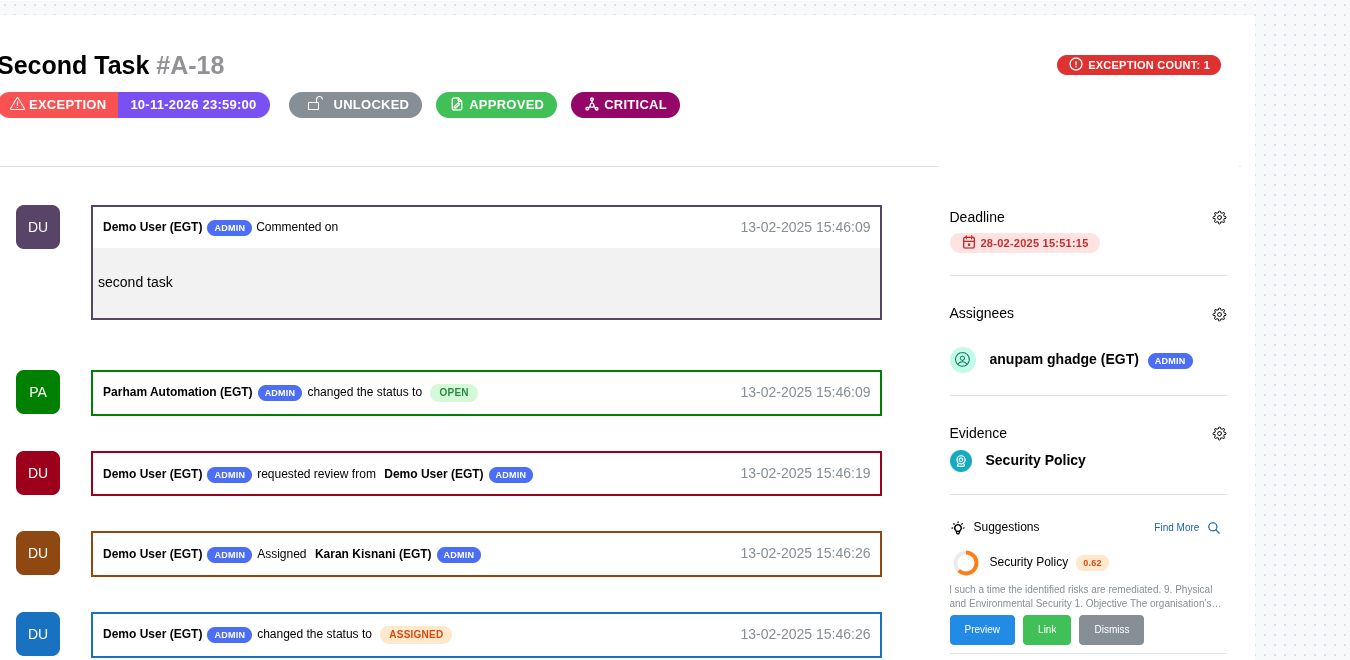
The person who closes is never the person who executed. Separation your auditor can verify.
- Review gates — assessments and closures flow through review.
- Complete record — status history, comments, organization-level audit logs. Every transition timestamped.
- "Reviewed and closed" — not "fixed" as a claim, but closure as a record.
FEATURE 03 / EXCEPTIONS
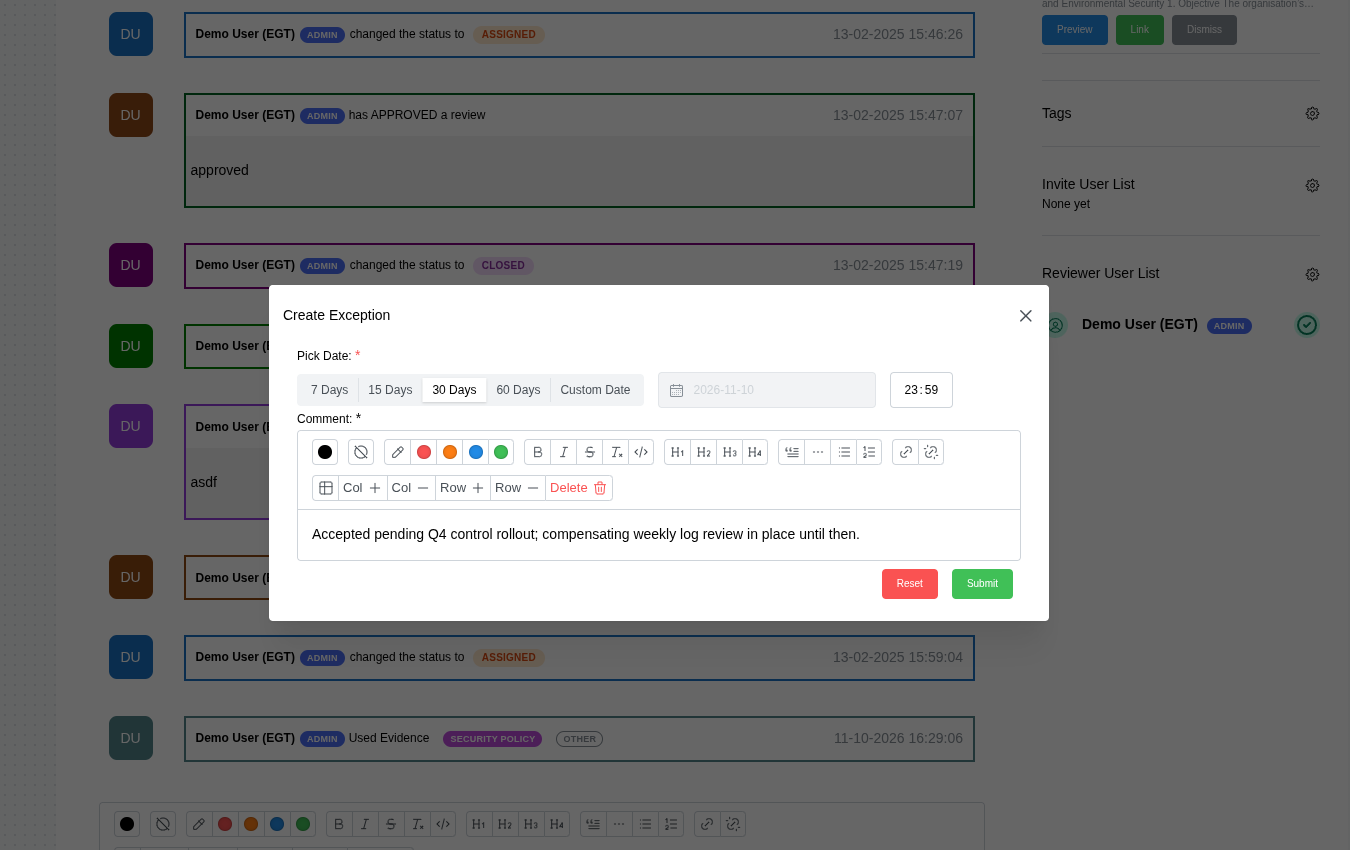
Exceptions that expire.
Accept a risk formally, with an end date. No exception lives forever because no one remembered to revisit it. Timed risk exceptions with expiry, versioned satisfaction statements with effectiveness and next-review dates.
FEATURE 04 / DASHBOARDS
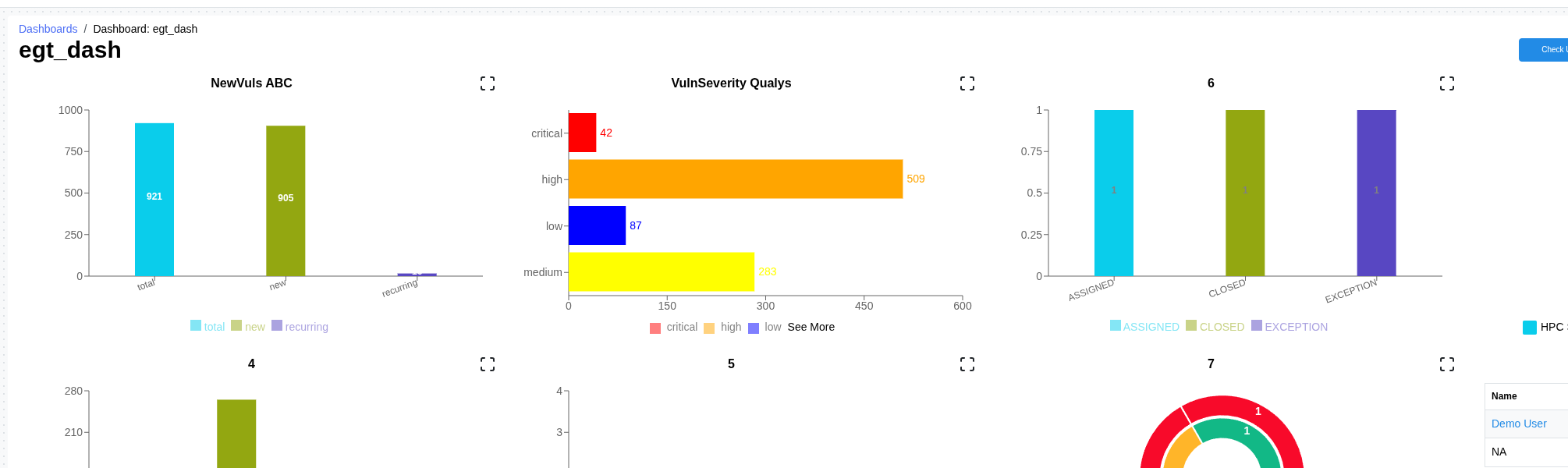
Ad-hoc dashboards, per user.
Your auditor's question answered in seconds, repeatedly, identically. Personal task calendars, saved queries, and role views — no fortnight of consolidation.
- Personal calendars — each user sees risks, tickets, and reviews due.
- Saved queries — define once, rerun for every audit.
- Landscape views — estate grouped by location, live counts, risk per asset.
FEATURE 05 / EVIDENCE
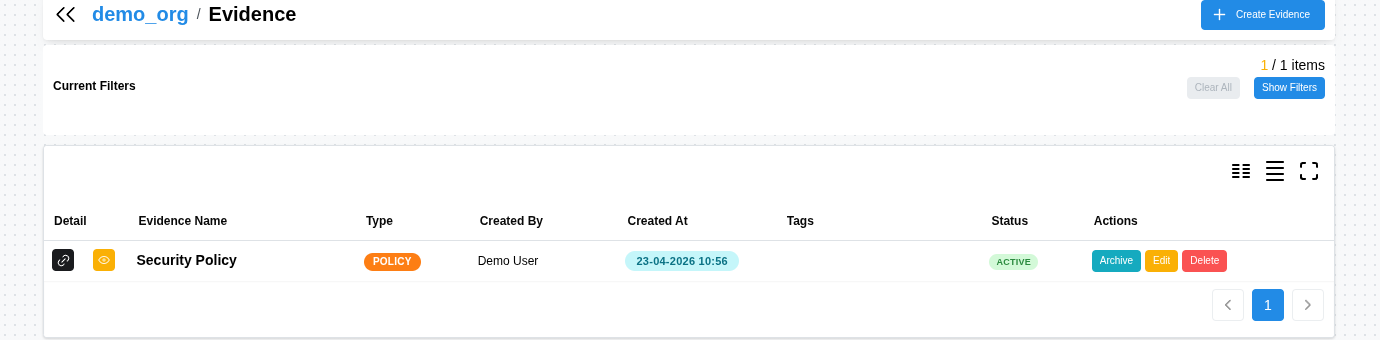
Evidence that compounds.
Create evidence manually, or turn artefacts and comments used to close any item into reusable records. Tagged, organization-scoped, attachable to any future finding — and suggested by AI wherever it applies.
FEATURE 06 / LOCAL AI
Private AI, cited.
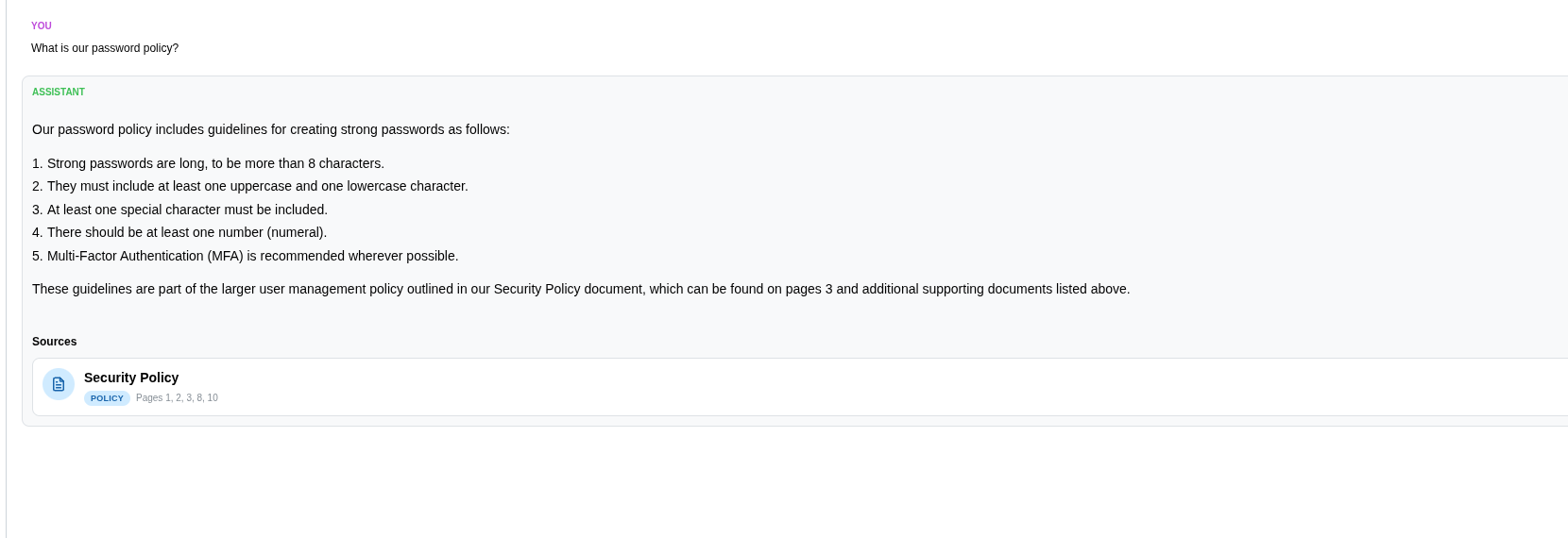
Grounded in your policies, circulars, control library, and evidence. Every answer names its source. Runs on Parham infrastructure — never a third-party AI provider.
- Grounded answers — ask across indexed policies and circulars, see cited passages.
- Evidence suggestions — surfaces policy passages plus proof already produced.
- Deployment choice — SaaS tenancy-isolated, on-prem on your hardware, air-gapped fully disconnected.
One AI. Three deployment modes. Zero external AI APIs.
See it on your hardest question.
Bring one audit finding. We'll show assignment, evidence, review, and cited AI in a single walkthrough.